
Checked in before they land
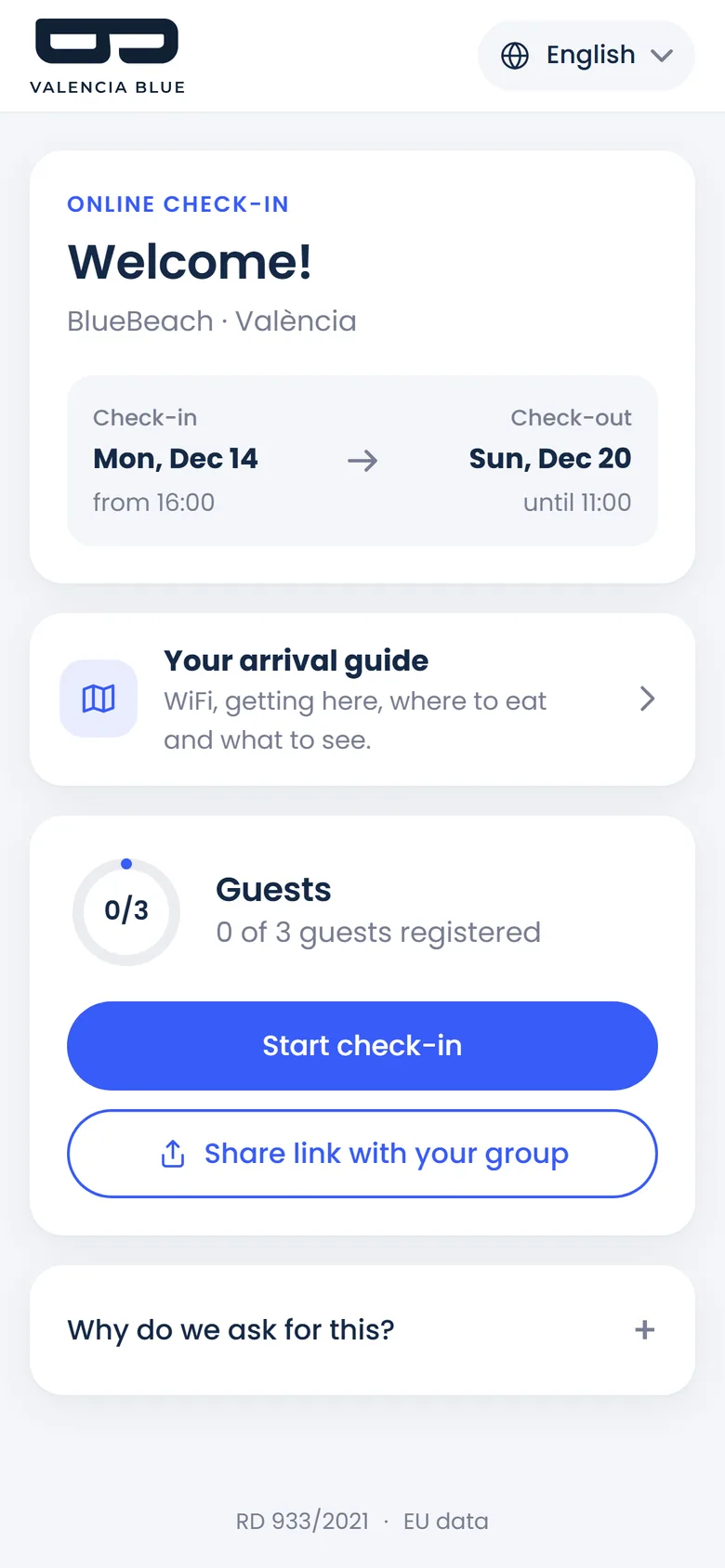
Your guests can check in online before they arrive, in seven languages. They only have to scan their passport and sign. One link is enough for the whole group, and if they forget, we’ll remind them.
Are you hosting on Airbnb and Booking.com, and would you like direct bookings too? With hola.blue you have your calendar, inbox, payments, website, guides, invoices and check-in in one place, on your computer and on your phone.
Opening to hosts soon · Web and Android · iPhone app coming soon
Works with
01Calendar
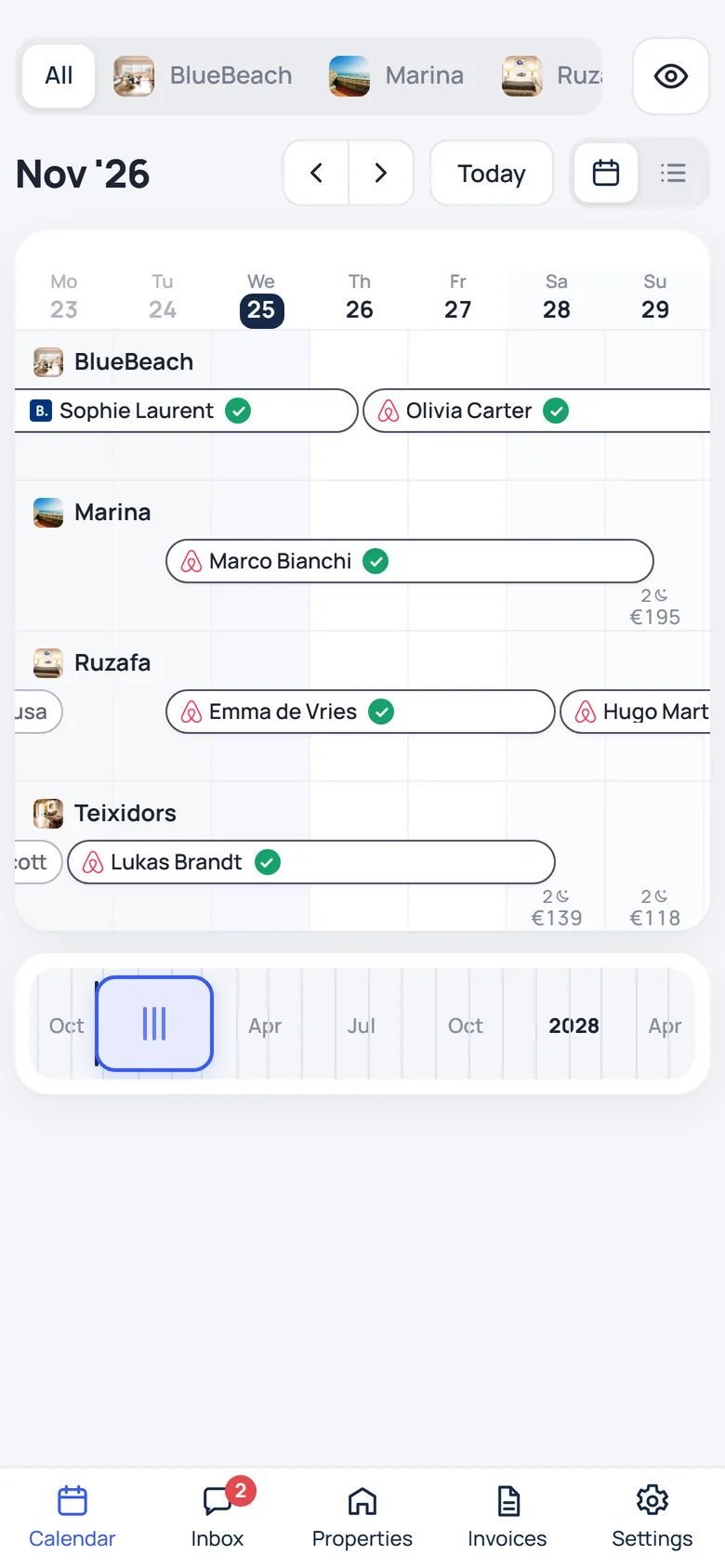
You can look at one home by the month, or see all of them together on a timeline. Airbnb, Booking.com and your direct bookings share the same calendar, so when someone books a night on one of them, it’s no longer available on the others.
02Inbox
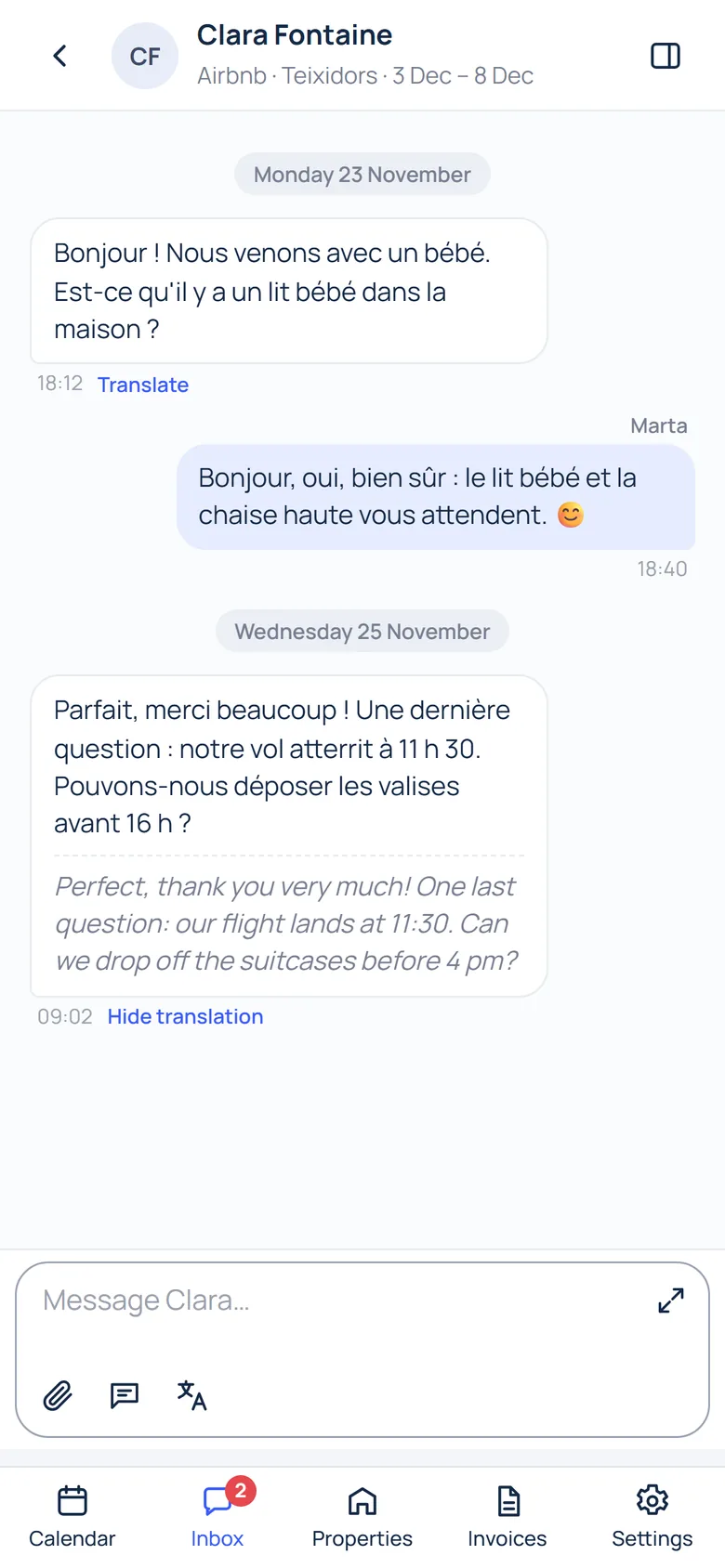
All your messages from Airbnb and Booking.com come together in one inbox, with the booking right next to the conversation. You can write in your own language and translate it for your guest before you send it.
03Guest messages
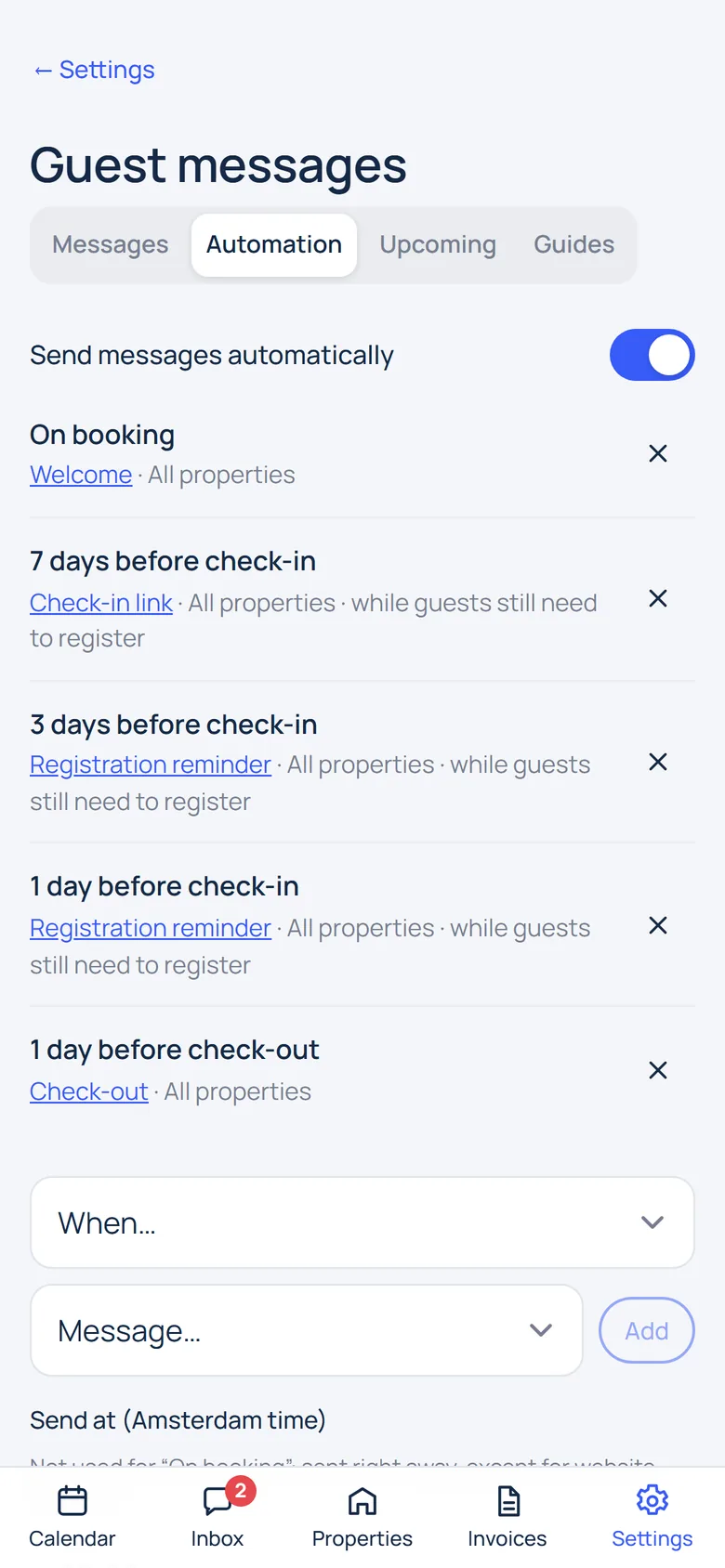
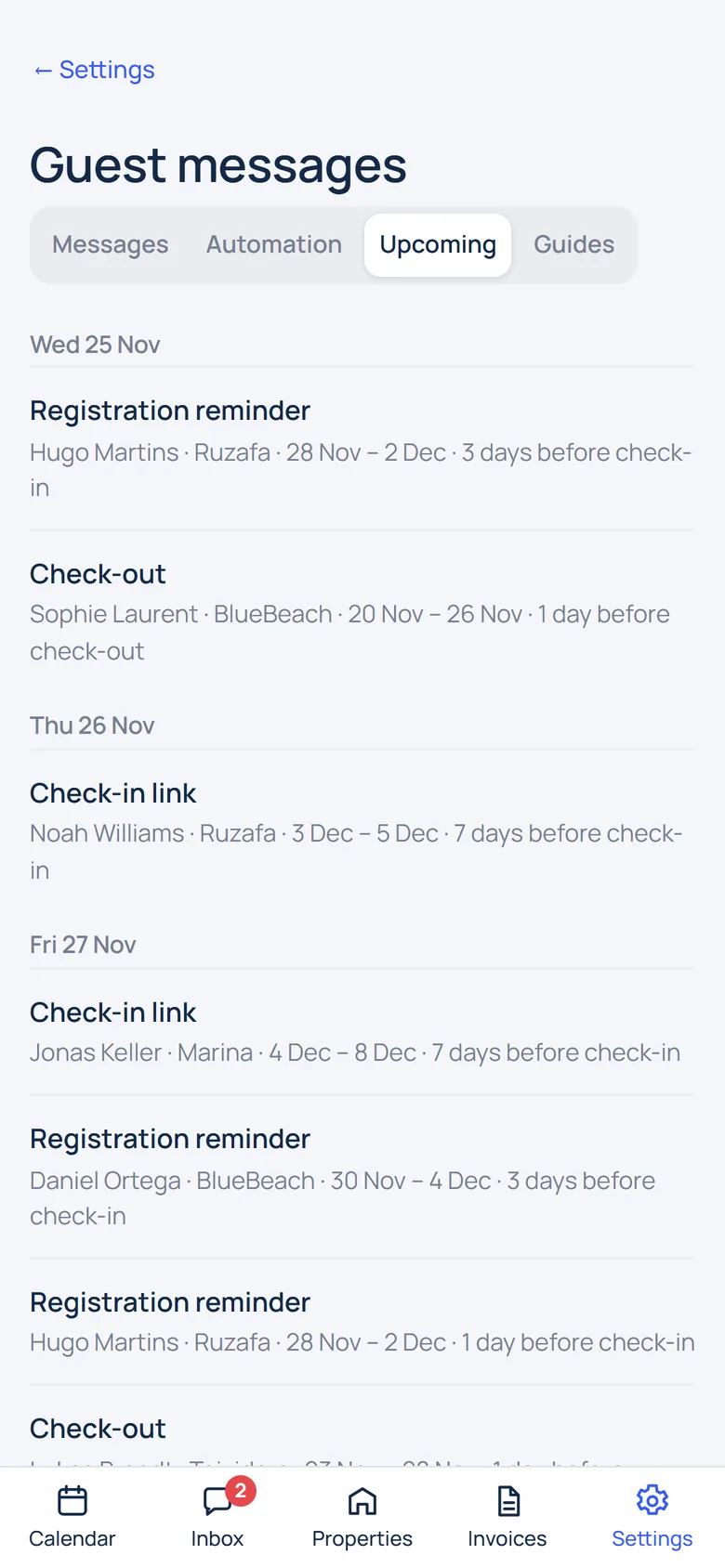
While you write, you can see how your message will look in the chat and in an email. Then you choose when we should send it, for example right after someone books, a few days before they arrive or the day before they leave.
Choose a language and see what your guest would get.
Hi Clara,
Thank you for booking BlueCity! Your stay is confirmed and we’re looking forward to welcoming you.
Check-in: Thursday 3 December, from 16:00
See you soon!
04Direct bookings
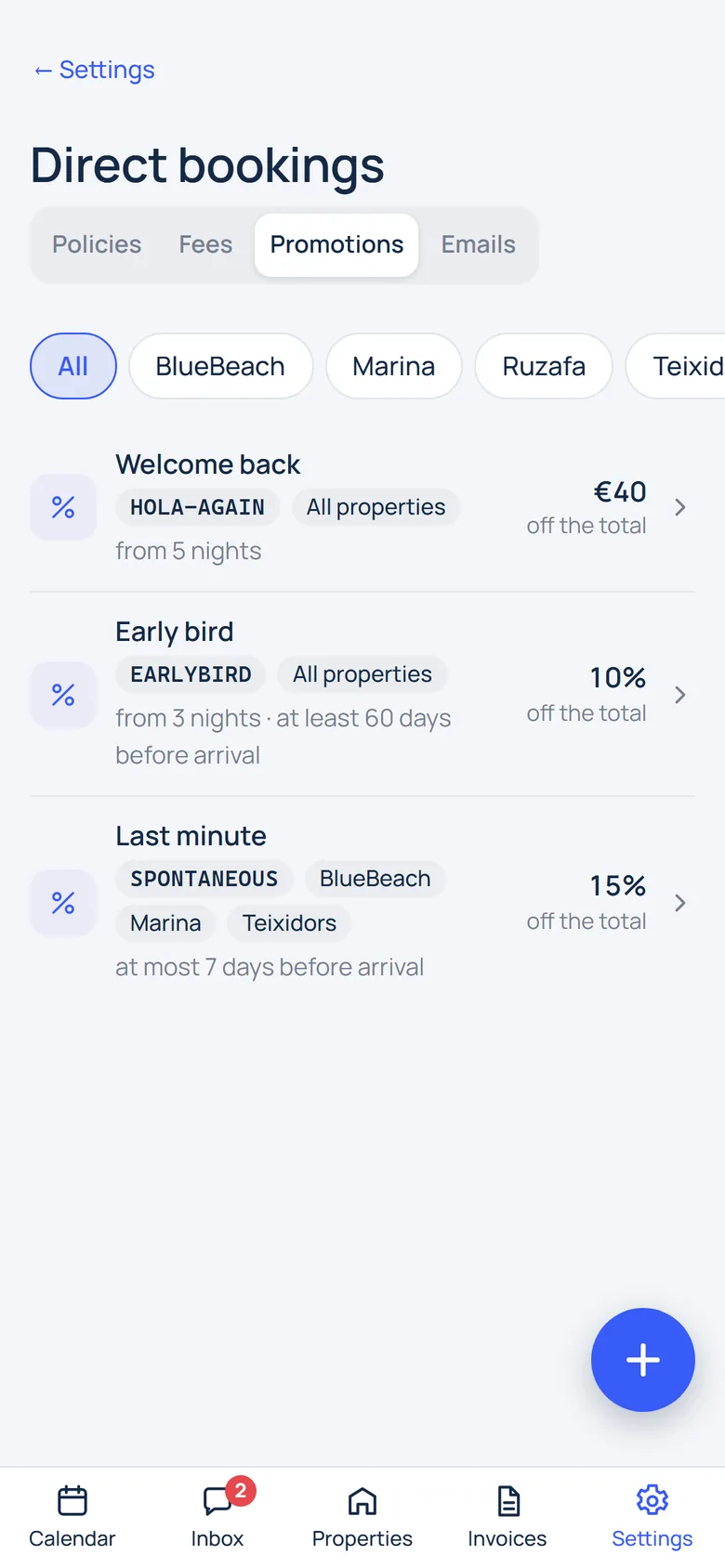
Your guests can book and pay on your own website, and the money goes straight to your Stripe account without passing through us. We only charge 0.2%, on top of Stripe’s card fees.
Move the sliders to match your own homes.
You could keep
€2,123
more every year
An estimate with our 0.2% and Stripe’s standard fee for European (EEA) cards, 1.5% + €0.25, one payment per booking. Other cards cost a bit more.
05Website builder
You can build your website on your computer or on your phone, and you’ll see how it looks while you work on it. When you’re happy with it, you can publish it with one click on your own domain, in your own Cloudflare account.
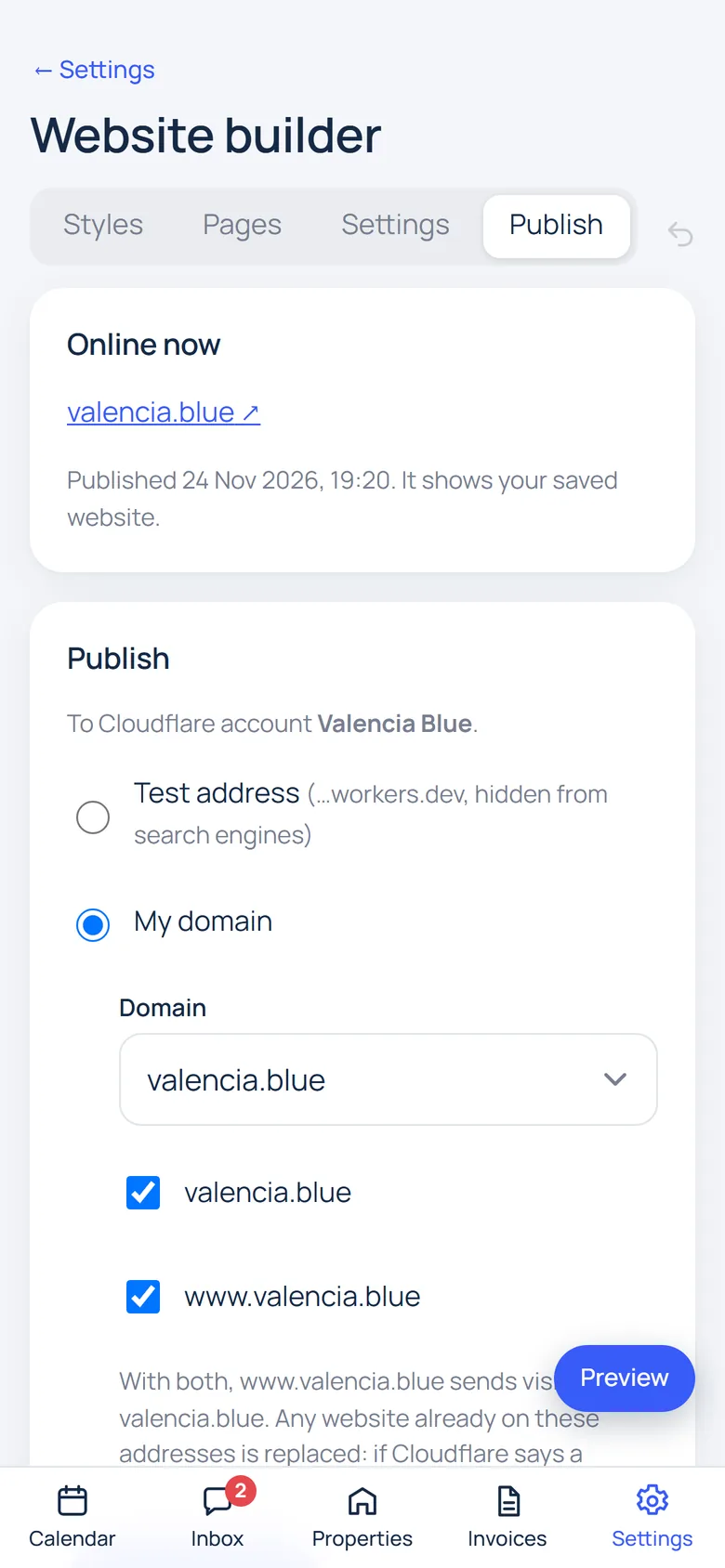
Have a look at a real one: valencia.blue
06Guest guides
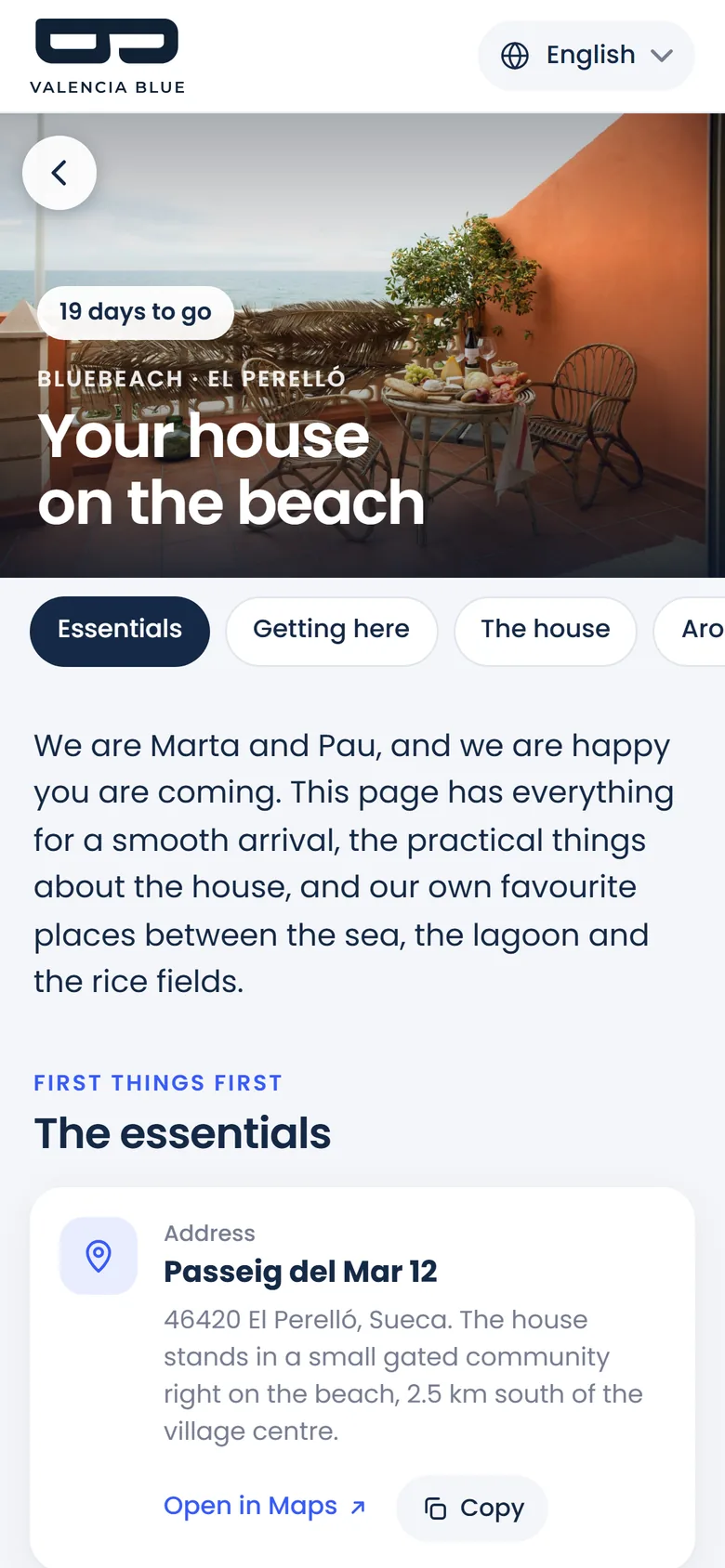
Make a guide for each of your homes with everything your guests need to know. Add your texts, photos and icons, and you’ll see right away how it looks on a phone. Your guests can open it from their booking and read it in their own language.
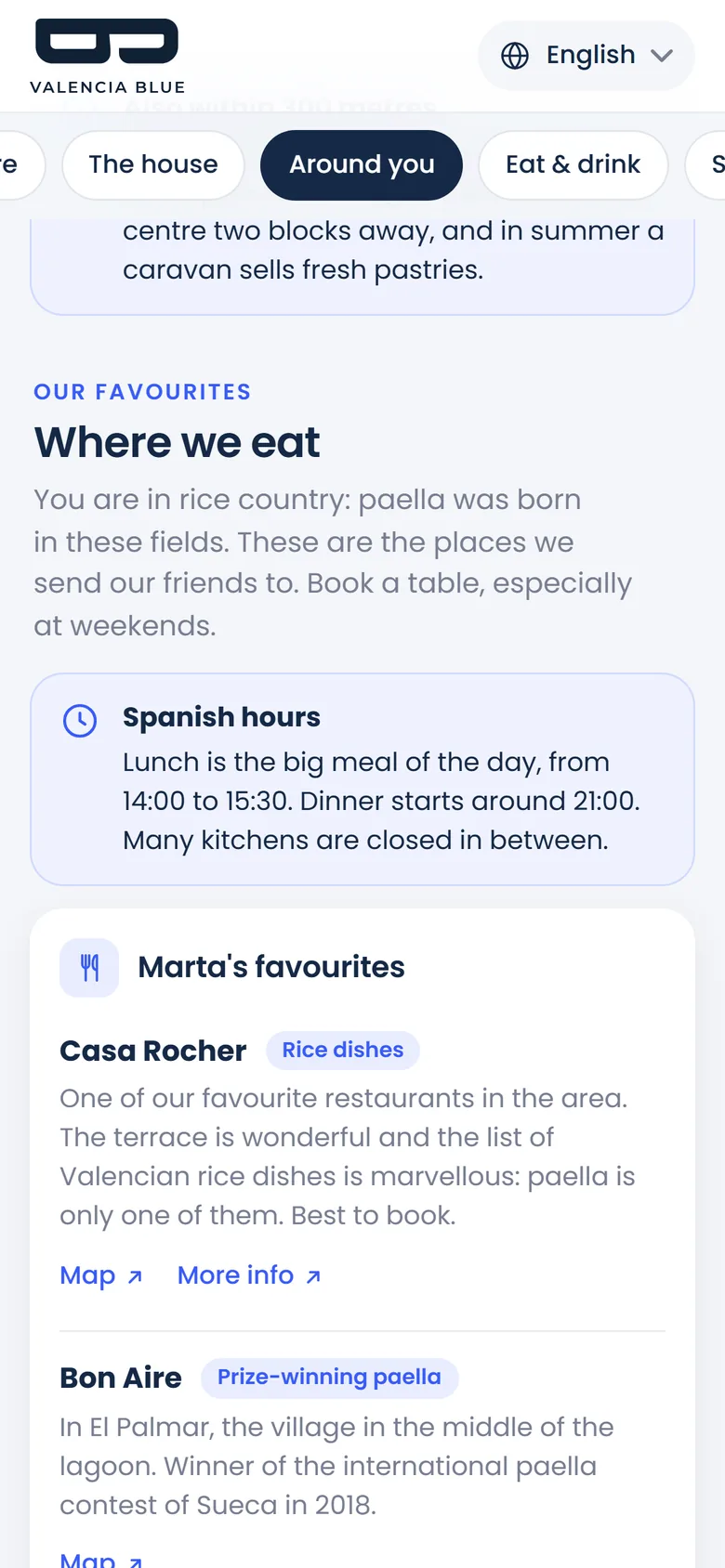
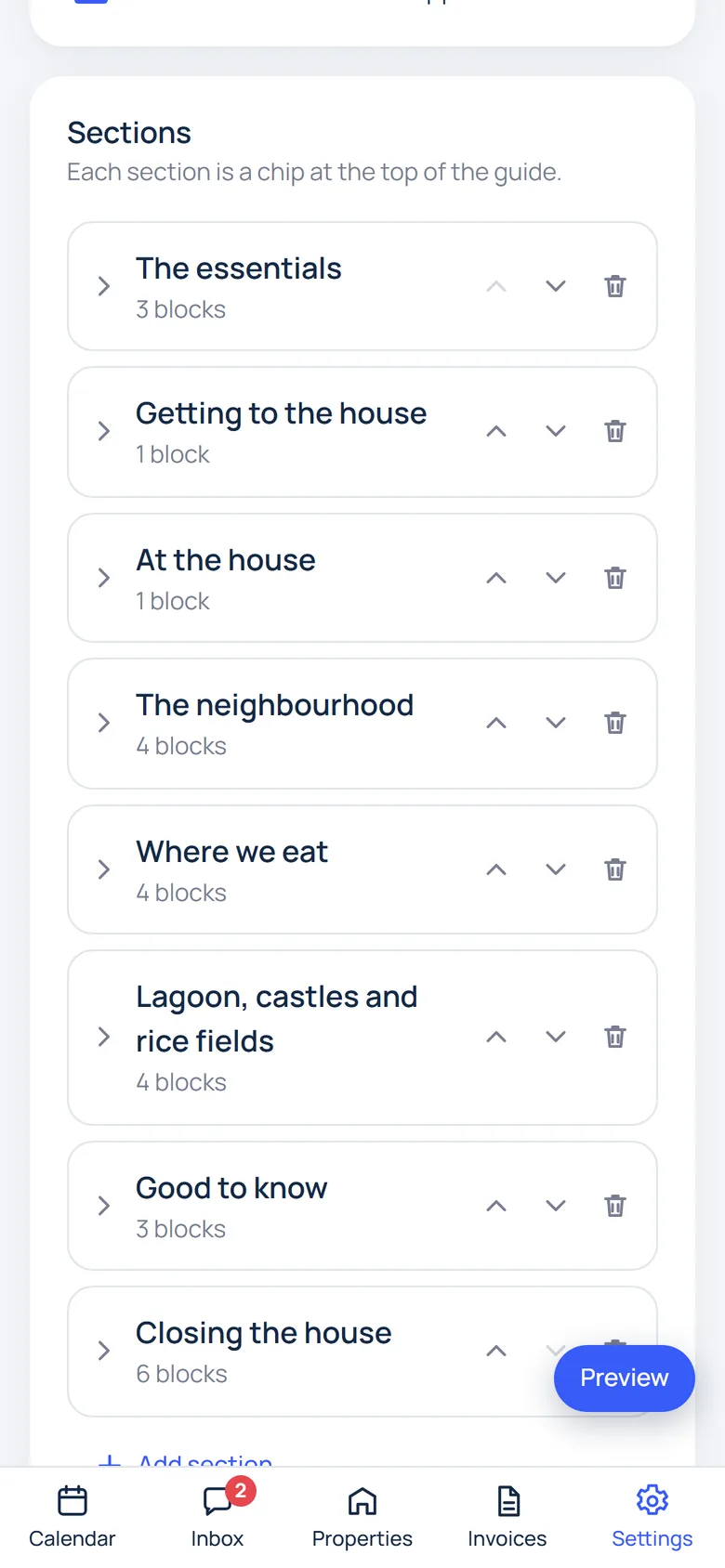
Tell Claude about your place: how to get there, the WiFi, that tapas bar you love. It will write your guest guide, your messages and your website, and put them directly into hola.blue. And if you prefer another LLM, connect it with the hola.blue MCP.
Works with Claude and any other LLM that supports MCP.
The key box is next to the green door, and the WiFi is called CasaAzul.
Great, I’ve got that. Where do you send your guests for tapas?
The little bar on the corner. They have to try the croquetas!
I’ll tell them! I’ve added it to your guest guide and translated it into French and German too.
Guest guideUpdated in hola.blue
07Invoices
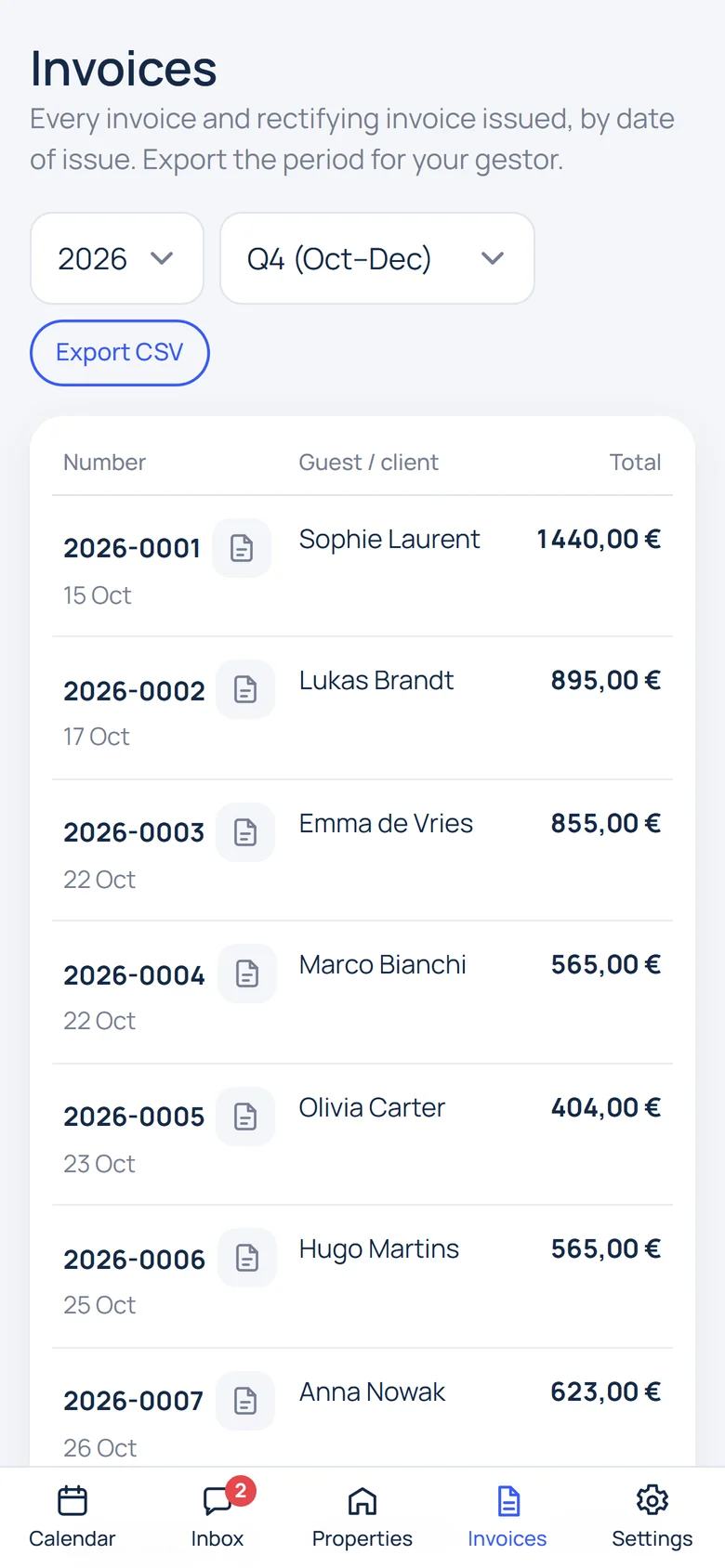
On the day your guests check in, we’ll make the invoice for you, with your own taxes on it and your logo on top. It doesn’t matter if they booked on Airbnb, on Booking.com or directly with you.
08Mobile app
You can do everything on your phone that you can do on your computer. This is what your day could look like without opening your laptop.
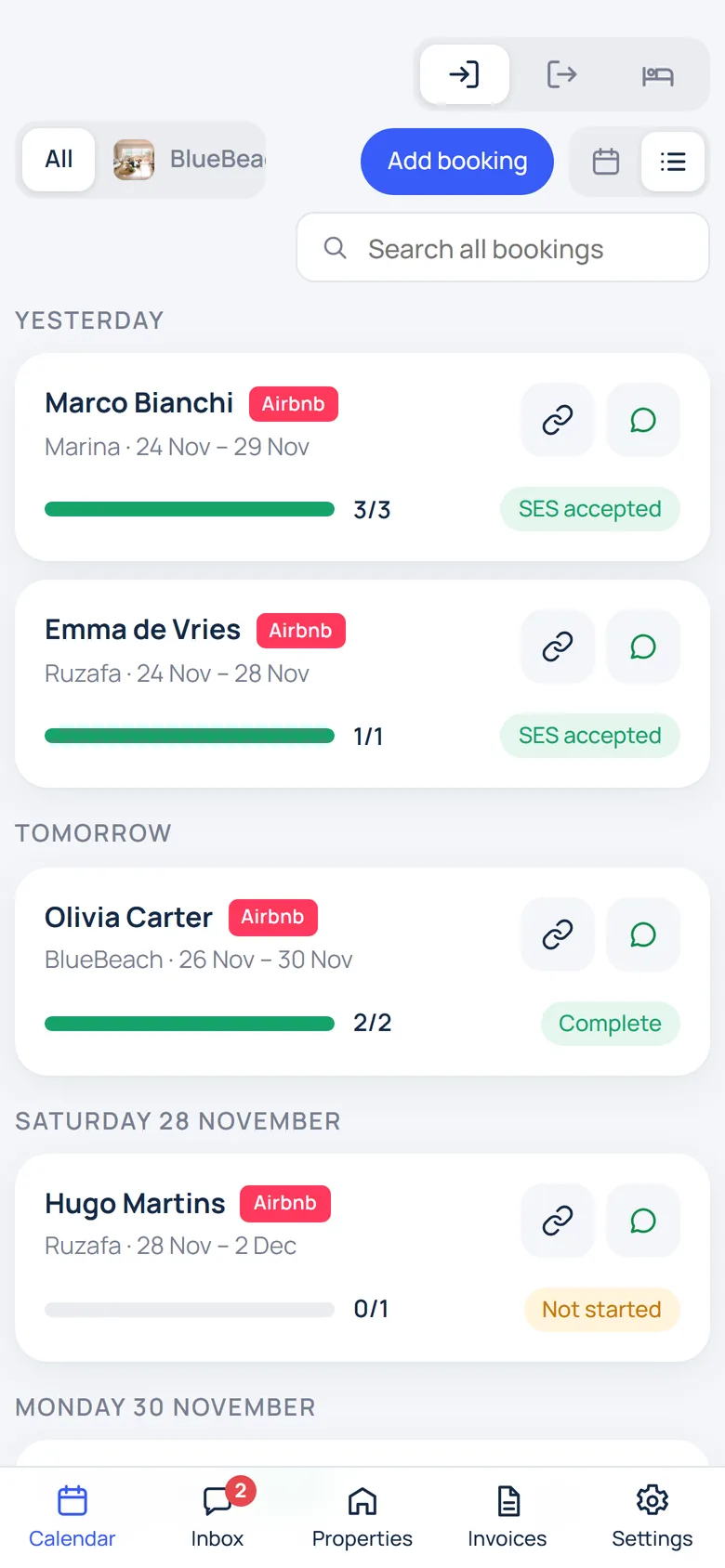
You’ve just sat down with your coffee when a booking comes in. You can see right away who’s coming, where they’re staying and for how long.
Clara lands early and has a question. You can answer her in French, even if you don’t speak a word of it.
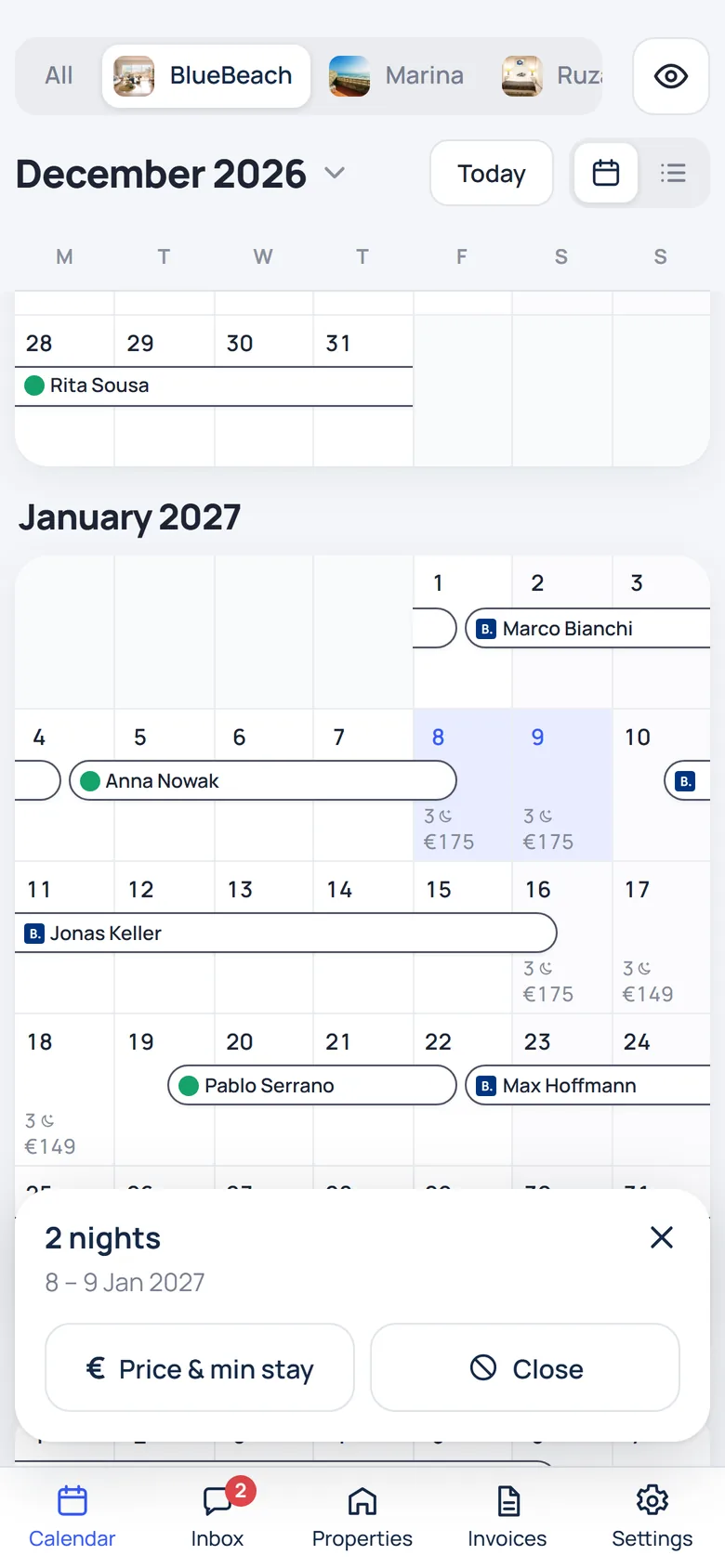
Two nights in January are still free. You change the price, and it will be updated on Airbnb, Booking.com and your website too.
Lunch was so good that you want to tell your guests about it, so you add it to your guide while you wait for the bill.
You check who has already done the online check-in, and send a friendly reminder to the ones who forgot.
There are still two nights free, so you make a promo code for 15% off.
You change a few photos on your website, have a look at the preview and publish it.
We’ll send tomorrow’s messages for you, so you can go to bed.
You can start something on your computer and finish it on your phone. Whenever we add something new, you’ll find it on both.
The Android app is ready and the iPhone app is coming soon. Until then, you can open hola.blue in your iPhone’s browser, where it looks just the same.
| Feature | App | Web |
|---|---|---|
| Calendar, prices and minimum stays | yes | yes |
| Inbox and translation | yes | yes |
| Automatic messages | yes | yes |
| Direct bookings, fees and promo codes | yes | yes |
| Website builder | yes | yes |
| Guide editor | yes | yes |
| Homes and channel prices | yes | yes |
| Online check-in and SES Hospedajes | yes | yes |
| Invoices | yes | yes |
| Your team and who can do what | yes | yes |
| Notifications | yes | yes |
09Check-in and SES
So you have time to say hola when your guests arrive.
Your guests can check in online before they arrive, in seven languages. They only have to scan their passport and sign. One link is enough for the whole group, and if they forget, we’ll remind them.
If your homes are in Spain, we’ll send your guests’ details to SES Hospedajes when they arrive and keep the confirmation for you. If they’re somewhere else, you can just turn it off.
With other systems you often need an add-on or a more expensive plan. With hola.blue it’s all included.
We encrypt your guests’ data with a key that’s only used for your account. If you ever need our help, you decide if we can have a look and for how long.
We keep your data, your files and the backups on servers in the EU.
You can sign in with your fingerprint, your face or a code that we send you by email. And if you work with a team, you decide what each person can do.
We don’t keep passport photos or copies of your messages, and we’ll delete your guests’ data when it’s no longer required.
For now you can connect Airbnb and Booking.com. Bookings from your own website come in automatically, and you can always add other bookings yourself.
We only charge 0.2% on direct bookings. Stripe also charges a card fee for each payment, which is 1.5% + €0.25 for standard European (EEA) cards. Airbnb and Booking.com will still charge you their usual commission on the bookings they bring you.
It’s coming soon. Until then, you can open hola.blue in your iPhone’s browser, where it looks just the same.
Yes, you really can. You can even build your website or write your guest guide on it.
Yes, you can. hola.blue has its own MCP server, so you can connect Claude or any other LLM that supports MCP. It will ask you about your place and write your guest guide, your messages and your website for you. You choose what it can work on, and it won’t see your guests’ details.
It’s the standard way for AI assistants to work with other apps. You connect hola.blue once, and after that you can just ask your assistant in a chat.
Yes, it is. SES Hospedajes is only for homes in Spain, and you can just turn it off.
You do. It runs on your own domain and in your own Cloudflare account.
Very soon! We’re welcoming a few hosts at a time. Send us an email about your homes and we’ll get back to you.
Tell us about your homes and we’ll show you around.
Are you a guest? You’ll find your link in the message from your host.